In the world of professional mixing and mastering, one of the most overlooked—but absolutely critical—elements is True Peak. If you want your music to sound clean on every platform, avoid digital distortion, and ensure compatibility across all playback systems, this is something you must understand. In this article, you’ll learn what True Peak really is, when it matters, how floating-point systems affect it, and why it’s a key factor when dealing with DSPs (Digital Signal Processors).
What Is True Peak?
True Peak refers to the maximum actual signal level after digital-to-analog conversion (DAC). Unlike a regular Peak Meter that measures sample-by-sample, True Peak looks at the inter-sample peaks that can occur between those digital values during playback.
🔍 In simple terms: Even if your limiter shows -0.1 dBFS, your signal might exceed 0 dBFS when played back on real-world systems—causing digital clipping.
When Does True Peak Matter?
True Peak becomes critical in mastering, especially when:
You’re preparing music for streaming platforms (Spotify, YouTube, Apple Music, etc.).
You want to avoid clipping in consumer DACs (smartphones, headphones, car stereos).
You’re delivering tracks to broadcast or TV, which often use aggressive DSP processing.
🎯 Streaming platforms apply loudness normalization. If your master has True Peak overs, it may get distorted or turned down automatically—ruining your final sound.
How to Measure True Peak Properly
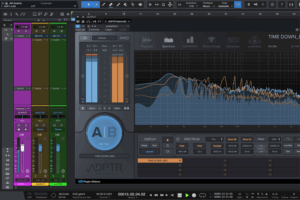
To accurately measure True Peak, you need a True Peak meter that follows the ITU-R BS.1770-4 standard. Tools like Youlean Loudness Meter, FabFilter Pro-L 2, or iZotope Insight offer accurate readings.
💡 Recommended value? Keep it between -1.0 dBTP and -0.5 dBTP to avoid playback issues on all systems.
True Peak and Floating Point: Can You Ignore It?
In a DAW environment with 32-bit or 64-bit floating point, you’re safe from internal clipping—your signal can go beyond 0 dBFS without distortion because the system has virtually infinite headroom.
⚠️ But be careful: as soon as you export to a fixed-point format (like WAV 24bit or 16bit), True Peak becomes a real-world problem again. If you don’t control it, your export might clip during playback.
Why True Peak Is Dangerous for DSPs
DSPs (Digital Signal Processors) are found in most consumer devices (smart speakers, TVs, Bluetooth earbuds, car audio systems, etc.), and they do not handle True Peak overs well. Here’s what happens:
They introduce ugly digital distortion.
They may apply harsh compression or limiting.
They can destroy your carefully crafted mix or master.
🎧 If you want your work to sound clean and punchy everywhere, don’t mess around with True Peak.
Conclusion: True Peak Is a Detail That Makes or Breaks Your Master
Ignoring True Peak today is like mixing blind. It can wreck your master on streaming services and devices, even if everything sounds great inside your DAW.
Keep your True Peak levels under -1 dBTP, and make it part of your mastering routine. It’s a small detail that protects your sound from distortion, normalization penalties, and platform rejection.
At Kikkiriki Studio, we take True Peak seriously. Every master is carefully checked to ensure clarity, punch, and compatibility across all listening platforms.
📩 Need a professional master? Let’s work together. I’ll give you a free test master so you can judge the quality of my work—no strings attached.